
The Alienware 16 Aurora is the most affordable laptop in Alienware’s gaming range. The model sold on Amazon India comes with an Intel Core 7 240H processor, NVIDIA GeForce RTX 5050 graphics with 8GB GDDR7 memory, 16GB DDR5 RAM, a 1TB SSD and a 16-inch 2.5K screen. Its listed MRP is ₹1,79,990.
In this Alienware 16 Aurora review, we cover the full specs, what the RTX 5050 can really handle, battery life, upgrade options, common problems and which variant makes sense for Indian buyers. The short answer: it is a well-built, calm-looking laptop that suits 1080p gaming, coding and college work, but you can get more gaming power for the same money elsewhere.
Disclosure: This post contains Amazon affiliate links. If you buy through them, SearchingNew may earn a small commission at no extra cost to you.
Alienware 16 Aurora Review: Quick Verdict
What we like
- Large 96Wh battery that lasts long for a gaming laptop during light work
- Clean, minimal design with an aluminium lid
- Sharp 16-inch 2560 x 1600 screen with a useful 16:10 shape
- Two RAM slots and a free M.2 SSD slot for easy upgrades
- Wi-Fi 7, HDMI 2.1 and Ethernet built in
- Windows 11 Home and MS Office Home & Student 2024 included
What could be better
- The RTX 5050 runs at a lower power limit (around 80W), so gaming speed trails many rivals
- Screen is only 300 nits and 120Hz
- 720p webcam, and no fingerprint reader or Windows Hello face login
- White-only keyboard backlight, no RGB
- No Thunderbolt; the USB-C ports top out at 10Gbps
- Heavy at up to 2.57 kg
Alienware 16 Aurora Specs (Amazon India Model)
These are the specs of the RTX 5050 model listed on Amazon India, checked against Dell Store India’s official Alienware 16 Aurora page.
| Feature | Alienware 16 Aurora (AC16250) |
|---|---|
| Processor | Intel Core 7 240H (10 cores, 16 threads, up to 5.2GHz, 24MB cache) |
| Graphics | NVIDIA GeForce RTX 5050, 8GB GDDR7 |
| RAM | 16GB DDR5 (2 x 8GB), 5600MT/s, upgradeable |
| Storage | 1TB M.2 SSD, plus one free M.2 slot |
| Display | 16-inch WQXGA (2560 x 1600), 16:10, 120Hz, 300 nits, anti-glare IPS, ComfortView Plus |
| Battery | 6-cell, 96Wh |
| Wireless | MediaTek Wi-Fi 7 (MT7925), Bluetooth |
| Ports | 2 x USB-A 3.2 Gen 1, 2 x USB-C 3.2 Gen 2 (DisplayPort), HDMI 2.1, RJ-45 Ethernet, 3.5mm audio jack |
| Keyboard | Full-size with number pad, white backlight |
| Webcam | 720p HD |
| Software | Windows 11 Home, MS Office Home & Student 2024, McAfee (12 months) |
| Weight | Up to 2.57 kg |
| Colour | Interstellar Indigo |
| Warranty | 1 year |
Which Alienware 16 Aurora Variant Should You Buy in India?
The Alienware 16 Aurora launched in India at ₹1,29,990 and is sold in several configurations. Indian stores mostly list the Core 7 240H with one of three GPUs, plus a cheaper Core 5 210H model. Here is how to choose:
- RTX 4050 (6GB): the older-generation GPU. Fine for esports games, but only worth it at a clear discount.
- RTX 5050 (8GB): the model in this review. You get 8GB of video memory and support for DLSS 4 Multi Frame Generation, which helps newer games run smoother.
- RTX 5060 (8GB): noticeably faster. In LaptopMedia’s 3DMark Time Spy graphics test it scored about 28% higher than the RTX 5050 version. Pick this if the price gap is small.
Tip: some listings call the Core 7 240H an “i7 14th Gen” chip. It belongs to Intel’s Core Series 2 family. It is not a Core Ultra chip and has no NPU, so it does not support Copilot+ AI features. Always check the GPU name in the listing title, because prices of different variants often overlap.
Design and Build Quality

The 16 Aurora drops the loud, angular look of older Alienware laptops. It comes in a dark blue Interstellar Indigo finish with an anodised aluminium lid, while the keyboard deck and base are plastic over a magnesium-alloy frame. There are no RGB light strips, so it looks just as normal in an office or classroom as it does on a gaming desk.
The hinge opens a full 180 degrees. The downside is weight: it starts at 2.49 kg and goes up to 2.57 kg, and the charger adds roughly half a kilo more. You can carry it to college or the office, but it is not a laptop you will forget is in your bag.
Display: Sharp, but Not Very Bright
You get a 16-inch IPS panel with 2560 x 1600 resolution, a 120Hz refresh rate and an anti-glare finish. The taller 16:10 shape shows more lines of code or more of a document than a regular 16:9 screen. LaptopMedia measured about 314 nits of brightness and 95% sRGB colour coverage, with no PWM flicker, which is good news for long sessions.
The weak points are brightness and refresh rate. 300 nits is fine indoors, but the screen can look dull near a bright window. Many gaming laptops at this price also offer 144Hz or 165Hz. And because the RTX 5050 is an entry-level GPU, you will usually play demanding games at 1920 x 1200 or with DLSS turned on, rather than at the full 2.5K resolution.
Performance: What the Core 7 240H and RTX 5050 Can Handle
Processor
The Intel Core 7 240H has 10 cores (6 performance and 4 efficiency) and 16 threads, boosting up to 5.2GHz. That is plenty for coding in VS Code or Android Studio, running Docker, heavy Excel sheets, multitasking with many browser tabs and 1080p video editing.
Gaming
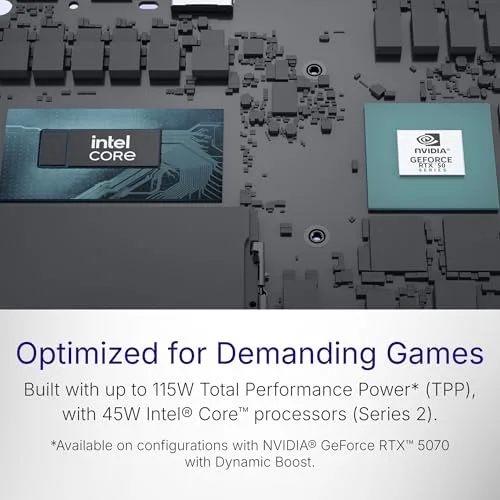
This is where you need realistic expectations. CNET found the RTX 5050 in this laptop runs at 80 watts, which is a modest power limit for this GPU. Reviews collected by Notebookcheck say 1080p/1200p gaming at medium-to-high settings is the most realistic target, even though the screen is 2.5K.
For a rough comparison, here are LaptopMedia’s 3DMark Time Spy graphics scores for different 16 Aurora variants:
| 16 Aurora variant | 3DMark Time Spy (Graphics) |
|---|---|
| RTX 4050 | 7,294 |
| RTX 5050 | 8,100 |
| RTX 5060 | 10,405 |
In simple terms: light esports games like Valorant, CS2 and Fortnite will run smoothly, while big AAA games like Cyberpunk 2077 need medium settings and DLSS for a comfortable frame rate. Always keep the laptop plugged in while gaming, because performance drops on battery.
Battery Life
Battery life is the 16 Aurora’s biggest strength. It has a large 96Wh battery, and in Tom’s Hardware’s review (RTX 5060 version) it lasted 9 hours 41 minutes in a web browsing and video streaming test. LaptopMedia also reported more than 7.5 hours. For classes, office work and Netflix, you can leave the charger at home for most of the day. Gaming on battery is a different story, so carry the charger if you plan to play.
Keyboard, Webcam, Speakers and Ports
The keyboard is full-size with a number pad and a white backlight. The up and down arrow keys are half-height, which some gamers find awkward. The 720p webcam is basic for a laptop at this price, and there is no fingerprint reader or IR camera, so you will log in with a PIN or password. The two 2.5W speakers are fine for videos but lack bass.
Ports are well placed. On the left you get Ethernet, a USB-A port and the audio jack. At the back are the power port, a second USB-A, two USB-C ports with DisplayPort and an HDMI 2.1 port.
Important tip for external monitors: according to the Amazon listing, the HDMI 2.1 port is wired to the RTX GPU, while the USB-C DisplayPort outputs go through the Intel graphics. If you connect a gaming monitor, use the HDMI port for the best performance.
Upgrade Options: RAM and SSD
The 16 Aurora is easy to upgrade, which is great for buyers who want to start with 16GB and add more later. Inside you get two SO-DIMM RAM slots (up to 64GB) and two M.2 SSD slots. The included SSD uses the short M.2 2230 size, and the empty slot takes a standard M.2 2280 drive. The bottom cover is held by 10 screws.
- Back up your data and shut the laptop down fully (not sleep).
- Unplug the charger and place the laptop on a soft cloth, face down.
- Remove the 10 screws on the bottom cover and gently lift it with a plastic pry tool, starting from the back.
- Disconnect the battery cable before touching any parts, as shown in Dell’s service manual for the AC16250.
- Install DDR5-5600 SO-DIMM sticks in a matched pair, or a PCIe Gen 4 NVMe M.2 2280 SSD in the free slot.
- Reconnect the battery, refit the cover and boot up. Check the new RAM or SSD in Task Manager or Disk Management.
Alienware 16 Aurora vs Alienware 16X Aurora
Both laptops look almost the same, which confuses many buyers. The 16X costs a lot more, but it fixes most of the 16 Aurora’s weak points:
| Feature | Alienware 16 Aurora | Alienware 16X Aurora |
|---|---|---|
| Processor | Intel Core 5 / 7 / 9 (H series) | Intel Core Ultra 7 / 9 (HX series) |
| GPU power | Lower (RTX 5050 at about 80W) | Higher (RTX 5060 at about 115W) |
| Display | 120Hz, 300 nits | 240Hz, much brighter, G-Sync |
| Thunderbolt | No (10Gbps USB-C) | Yes |
| Keyboard lighting | White | RGB |
| Battery life | Longer | Shorter |
| Best for | Study, work and casual gaming | Serious gaming |
If gaming is your main reason to buy, the 16X or a laptop with a faster GPU is the better choice. If you care more about battery life and a clean look, the 16 Aurora makes more sense.
Alternatives to Consider in India
- Lenovo LOQ with RTX 5050: listed on Amazon India with an Intel Core i7-13650HX. It usually gives more gaming performance for the money, but with a plainer design and shorter battery life.
- Acer Predator Helios Neo 14: a lighter 1.9 kg option if you travel often. Read our Acer Predator Helios Neo 14 review.
- More options by budget: see our list of the best gaming laptops in India.
- Don’t need a gaming GPU? A thin laptop like the one in our Dell 14S review costs far less and is easier to carry.
Common Alienware 16 Aurora Problems and How to Fix Them
1. Laptop gets hot or fans get loud

Some buyers mention heating during long gaming sessions. Use the laptop on a hard, flat surface (not a bed or pillow), keep the rear and side vents clear and try a cooling stand. Switch to Balanced mode in the Alienware Command Center app for lighter games, and cap your frame rate in the NVIDIA app so the GPU does not work harder than needed. Clean the vents every few months, especially in dusty rooms.
2. Games running on Intel graphics instead of RTX
Go to Settings > System > Display > Graphics, select the game and choose High performance. Also update your NVIDIA driver through the NVIDIA app. For an external monitor, use the HDMI port as explained above.
3. Screen marks or dead pixels on delivery
One Amazon buyer reported pressure marks on the display. When your laptop arrives, check the screen on plain white, black and red backgrounds using our free dead pixel test, and check every key with our online keyboard tester. If you find a problem, raise it within the replacement window shown on the Amazon product page.
4. Battery draining fast
Turn on Battery Saver, lower the refresh rate to 60Hz when unplugged, and close launchers like Steam that keep running in the background. If the battery drops while the lid is closed, follow our guide on laptop battery draining in sleep mode on Windows 11.
5. Slow performance after setup
New laptops often run updates in the background for the first day. Let Windows Update finish, install the latest drivers from Dell’s support site, and remove the McAfee trial if you do not plan to use it, since Windows Security already protects your PC.
Who Should Buy the Alienware 16 Aurora?
- Students and professionals who want one laptop for work, coding and casual gaming
- Buyers who value long battery life and a clean, premium design
- People who plan to upgrade RAM and storage themselves later
Who should skip it
- Gamers who want the highest frame rates for their budget
- Anyone who needs a bright screen for outdoor use or a high refresh rate for competitive games
- Buyers who need Thunderbolt for docks or fast external drives
Frequently Asked Questions
Is the Alienware 16 Aurora good for gaming?
Yes, for 1080p and 1200p gaming at medium to high settings. Esports titles run smoothly. Very demanding games need DLSS and lower settings because the RTX 5050 runs at about 80W.
Can the Alienware 16 Aurora run games at 2.5K resolution?
Lighter and older games can. For new AAA games, the RTX 5050 is better suited to 1920 x 1200, or 2.5K with DLSS turned on.
Can I upgrade the RAM and SSD?
Yes. It has two RAM slots supporting up to 64GB and a free M.2 2280 slot for a second SSD.
Does the Alienware 16 Aurora have Thunderbolt?
No. It has two USB-C 3.2 Gen 2 ports at 10Gbps. Thunderbolt is available on the more expensive 16X Aurora.
What is the battery life of the Alienware 16 Aurora?
It has a 96Wh battery. Reviewers recorded between 7.5 and almost 10 hours in light-use tests. Gaming on battery lasts much less.
Does it come with MS Office?
Yes. The Amazon India model includes Windows 11 Home and MS Office Home & Student 2024 with lifetime validity.
Is the Core 7 240H the same as an Intel Core i7?
It is Intel’s Core 7 processor from the Core Series 2 lineup, and it performs in a similar class to recent Core i7 H-series chips. It is not a Core Ultra processor and has no NPU.
Final Verdict
The Alienware 16 Aurora is a solid, good-looking laptop with excellent battery life for its class, an easy upgrade path and a sharp 16:10 screen. Its RTX 5050 is held back by a lower power limit, so pure gamers will get more frame rates from rivals like the Lenovo LOQ. If you want one dependable machine for study, work and evening gaming, and you like the Alienware build, it is a sensible buy, especially when you catch it at a good price.