
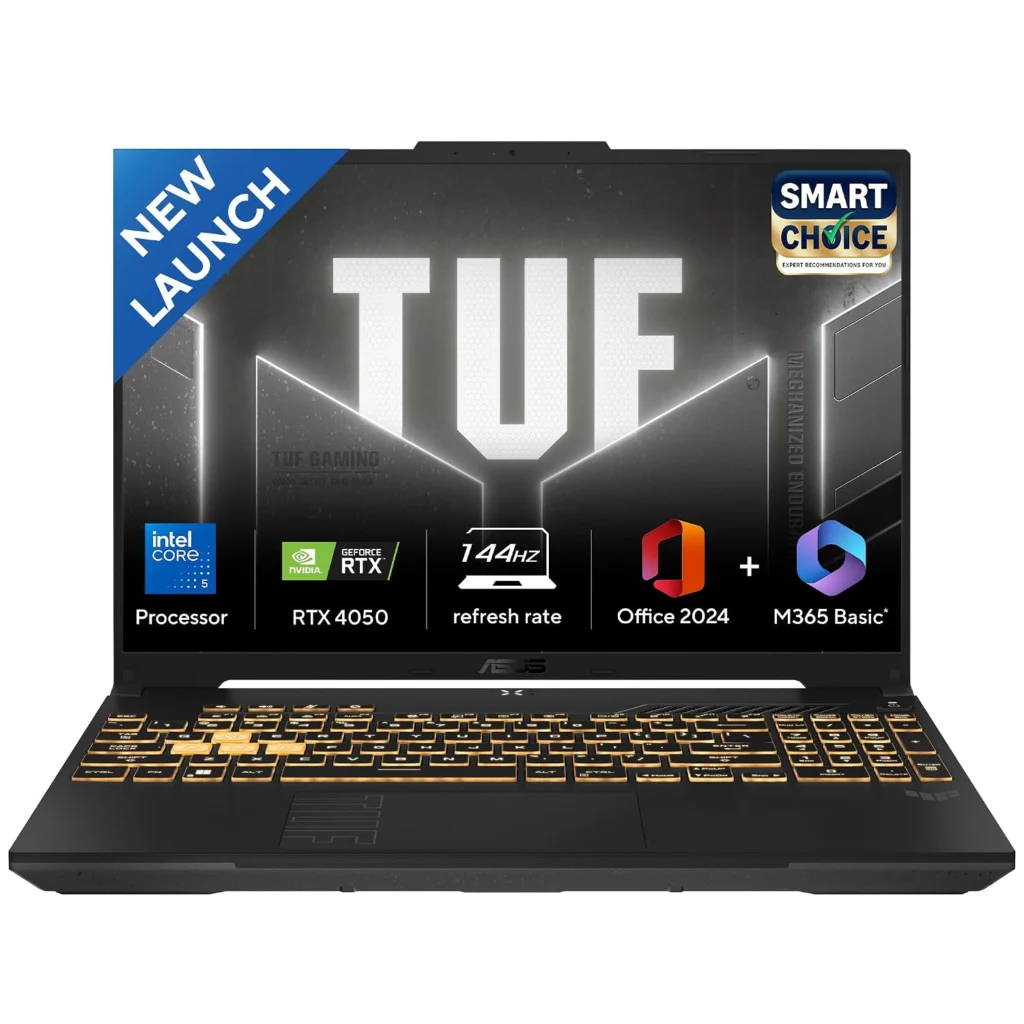
The ASUS TUF Gaming F16 RTX 4050 (model FX677VU-RL055WS) is a 16-inch gaming laptop with an Intel Core 5 210H processor, a 6GB RTX 4050 that can draw up to 140W, 16GB DDR5 RAM and a 144Hz screen. In simple words: it is built for 1080p gaming, video editing and college or office work on one machine.
Quick verdict: the RTX 4050 running at full 140W power, two RAM slots, two SSD slots and a Thunderbolt 4 port make this a strong all-rounder. The weak points are the small 56Wh battery, a basic-colour display and only 512GB of storage. Buy it if you mostly game plugged in at a desk. Skip it if you need long battery life or colour-accurate screen work.
Disclosure: this post has an Amazon affiliate link. If you buy through it, SearchingNew may earn a small commission at no extra cost to you. It does not change what we write.
ASUS TUF Gaming F16 RTX 4050 Specifications
These details come from the ASUS spec sheet for this chassis and the Amazon India listing for FX677VU-RL055WS.
| Part | Details |
|---|---|
| Processor | Intel Core 5 210H, 8 cores / 12 threads, up to 4.8GHz, 12MB cache |
| Graphics | NVIDIA GeForce RTX 4050 Laptop GPU, 6GB GDDR6, up to 140W (115W + 25W Dynamic Boost) |
| RAM | 16GB DDR5-5600, 2 SO-DIMM slots, upgradeable up to 64GB |
| Storage | 512GB PCIe 4.0 NVMe M.2 SSD, second M.2 slot free |
| Display | 16-inch FHD+ (1920 x 1200), 16:10, 144Hz, 300 nits, anti-glare, G-Sync, MUX switch |
| Ports | 1x Thunderbolt 4, 1x USB-C 3.2 Gen 2 (DisplayPort + charging), 2x USB-A 3.2 Gen 1, HDMI 2.1, RJ45 LAN, 3.5mm audio jack |
| Wireless | Wi-Fi 6, Bluetooth 5.2 |
| Keyboard | Backlit chiclet, 1-zone RGB, Copilot key |
| Camera and audio | 720p webcam, 2 speakers with Dolby Atmos, AI noise cancelling |
| Battery and charger | 56Wh, 240W adapter |
| Weight and size | 2.2 kg, 35.4 x 25.1 x 2.21–2.67 cm |
| Software | Windows 11 Home, Office Home 2024 (lifetime), Microsoft 365 Basic for 1 year |
| Colour | Mecha Gray |
Price in India and Where to Buy
The FX677VU-RL055WS sells for around ₹1,39,990 on Amazon India and the ASUS eShop, against an MRP of ₹2,13,990. Bank card offers and exchange deals on Amazon can bring the effective price lower, so check the offers section before paying. Prices move often during sales, and Amazon buyer reviews show some people picked it up for much less during earlier offers.
Make Sure You Are Buying the Right Model
This is the biggest confusion with this laptop. ASUS sells several TUF F16 versions that look the same from outside. The letters after “FX677V” tell you which graphics card is inside:
- FX677VU – RTX 4050 6GB (the model in this post)
- FX677VJ – RTX 3050 6GB, slower
- FX677VB – RTX 3050A 4GB, the entry model with DDR4 RAM, much slower for games
- FX608 series – the newer TUF F16 chassis with RTX 5050 or RTX 5060
Before you pay, check the full model code in the product title and on the box sticker when it arrives. Some sellers list an RTX 3050 version at a price close to the RTX 4050 one.

Gaming Performance: What the RTX 4050 at 140W Means
Laptop graphics cards run at different power limits, called TGP. The same RTX 4050 can be set to 60W in one laptop and 140W in another, and the higher number usually gives better frame rates. This TUF F16 lets the RTX 4050 use up to 140W, which is the top of what this GPU supports. That is one of its biggest strengths.
What you can expect in practice:
- Esports games like Valorant, CS2, Fortnite and BGMI-style PC titles run comfortably at high refresh rates on the 144Hz screen.
- Big AAA games like GTA V, Red Dead Redemption 2 and Forza run well at 1080p on medium to high settings. Owners on Amazon mention playing these without trouble.
- Newest heavy games work at 1080p with DLSS turned on. The 6GB of video memory is the limit here; on ultra textures, some new games will stutter, so use high instead of ultra.
The Core 5 210H is an 8-core chip based on Intel’s older Raptor Lake design. It is fine for gaming with an RTX 4050 and for everyday work. It is not as fast as the HX-series chips found in some rivals for heavy rendering, but those laptops usually cost more.
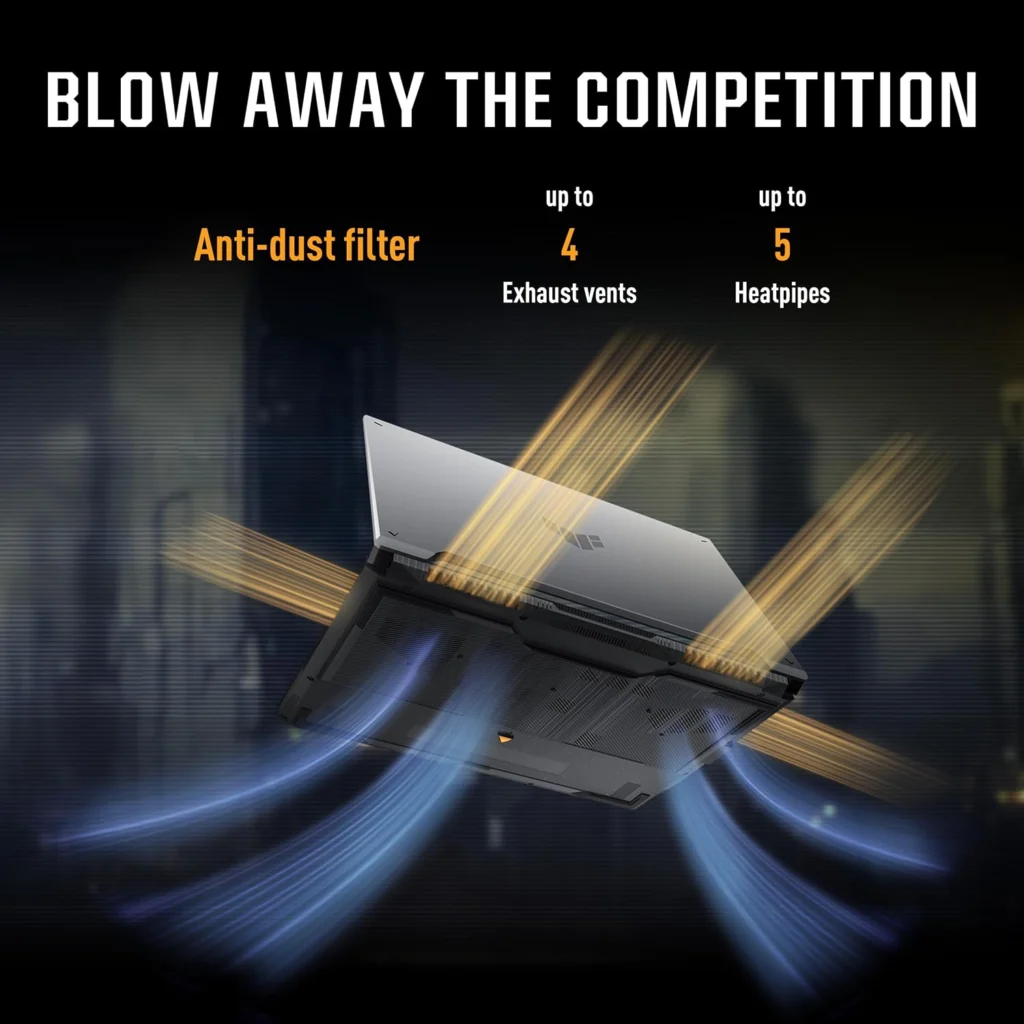
Display: Smooth but Not for Colour Work
The 16-inch screen has a taller 16:10 shape, so you see more of a web page or timeline than on a regular 15.6-inch laptop. The 144Hz refresh rate and G-Sync make games look smooth.
The catch is colour. ASUS lists the panel at 45% NTSC, which means colours look a little washed out. One Amazon buyer describes the display as slightly pale. It is fine for gaming, coding and watching videos, but if you do paid photo editing or colour grading, you will want an external monitor.
The MUX switch is a useful extra. It lets the RTX 4050 send frames straight to the screen instead of through the Intel graphics, which can give a few more FPS in games. With Advanced Optimus, the laptop can switch automatically.
Design, Keyboard and Build
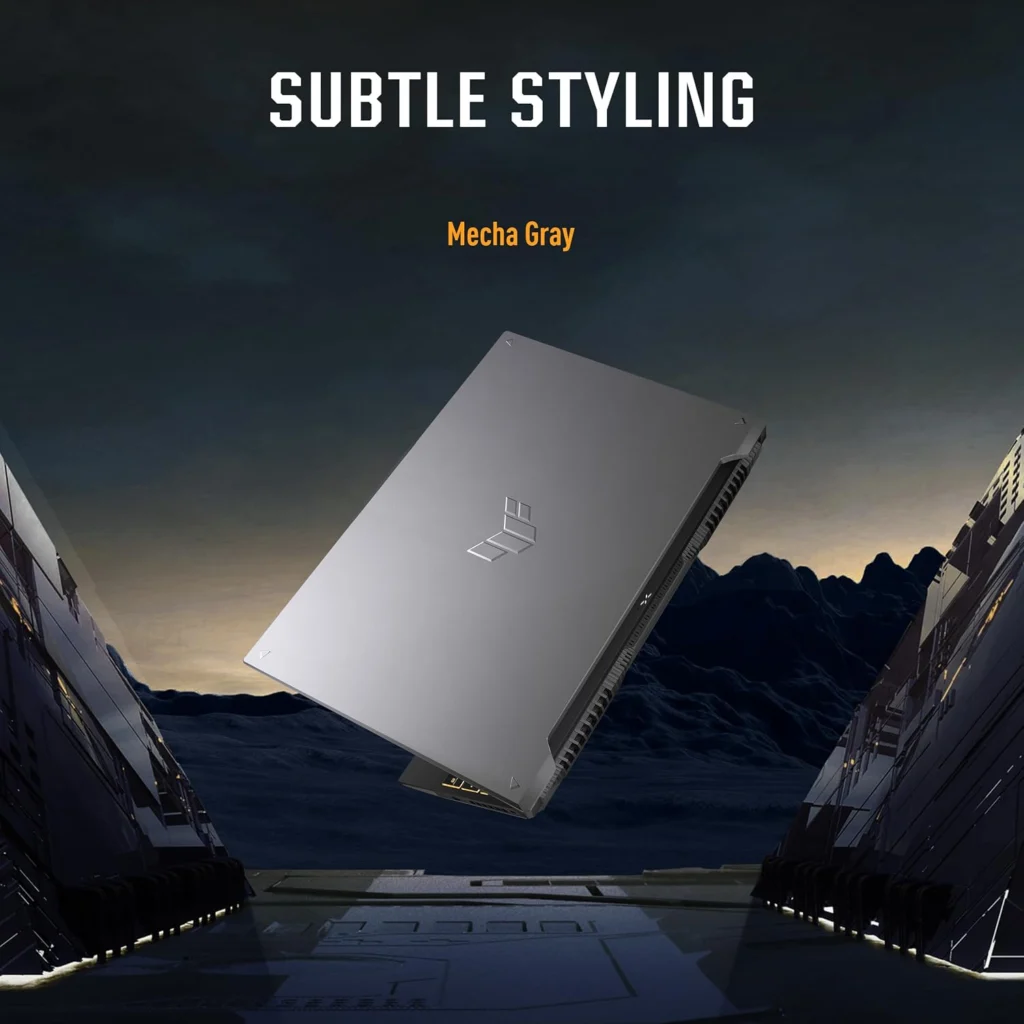
The TUF F16 weighs 2.2 kg, which is normal for a 16-inch gaming laptop. It has a simple Mecha Gray look with a TUF logo on the lid, so it does not look out of place in a college or office. Buyers on Amazon often praise the build quality.
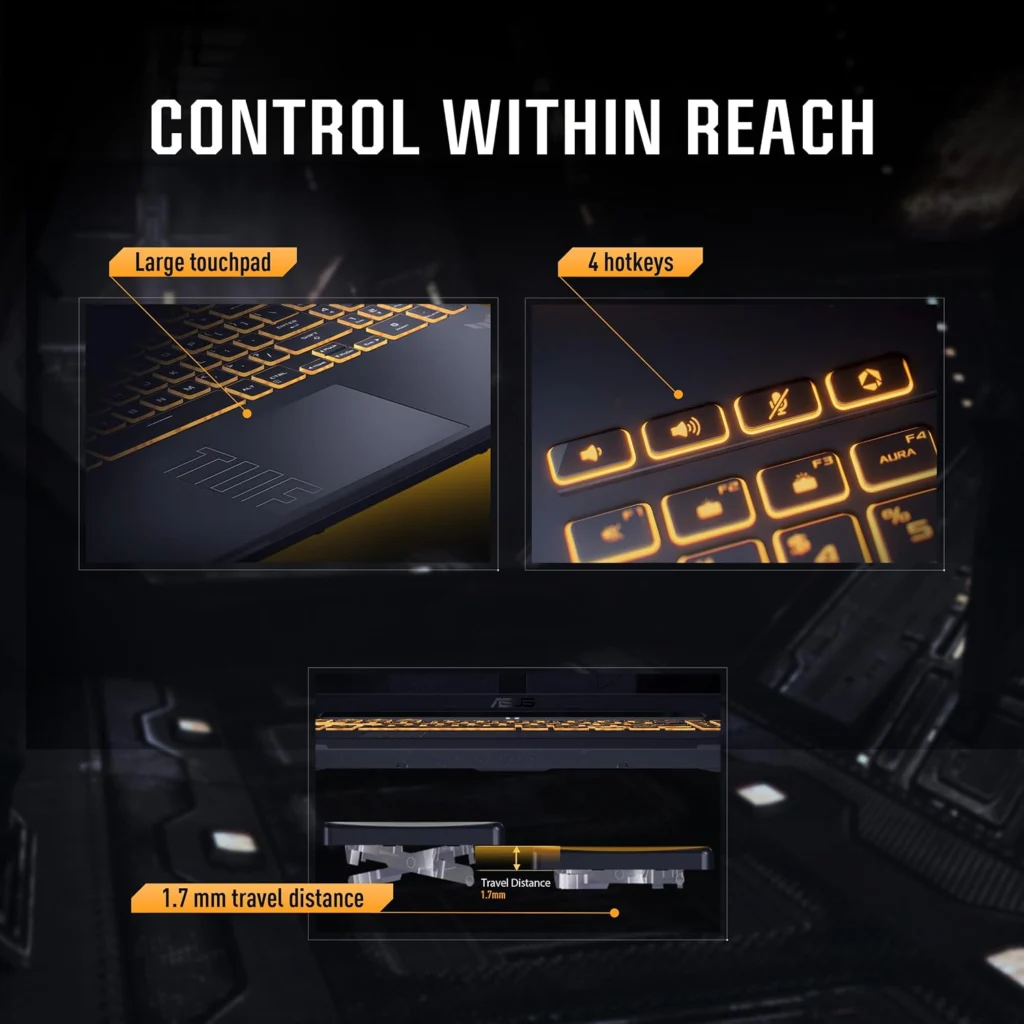
The keyboard is backlit with one-zone RGB, so the whole keyboard changes colour together, not each key. The WASD keys are highlighted for gaming, and there is a dedicated Copilot key for Windows 11’s AI assistant.
Ports and Upgrades
Port selection is better than most laptops in this price range. You get a Thunderbolt 4 port (fast external SSDs, docks and monitors), a second USB-C that supports charging and display output, two USB-A ports for a mouse and keyboard, HDMI 2.1 for a TV or high-refresh monitor, and a LAN port for wired internet.
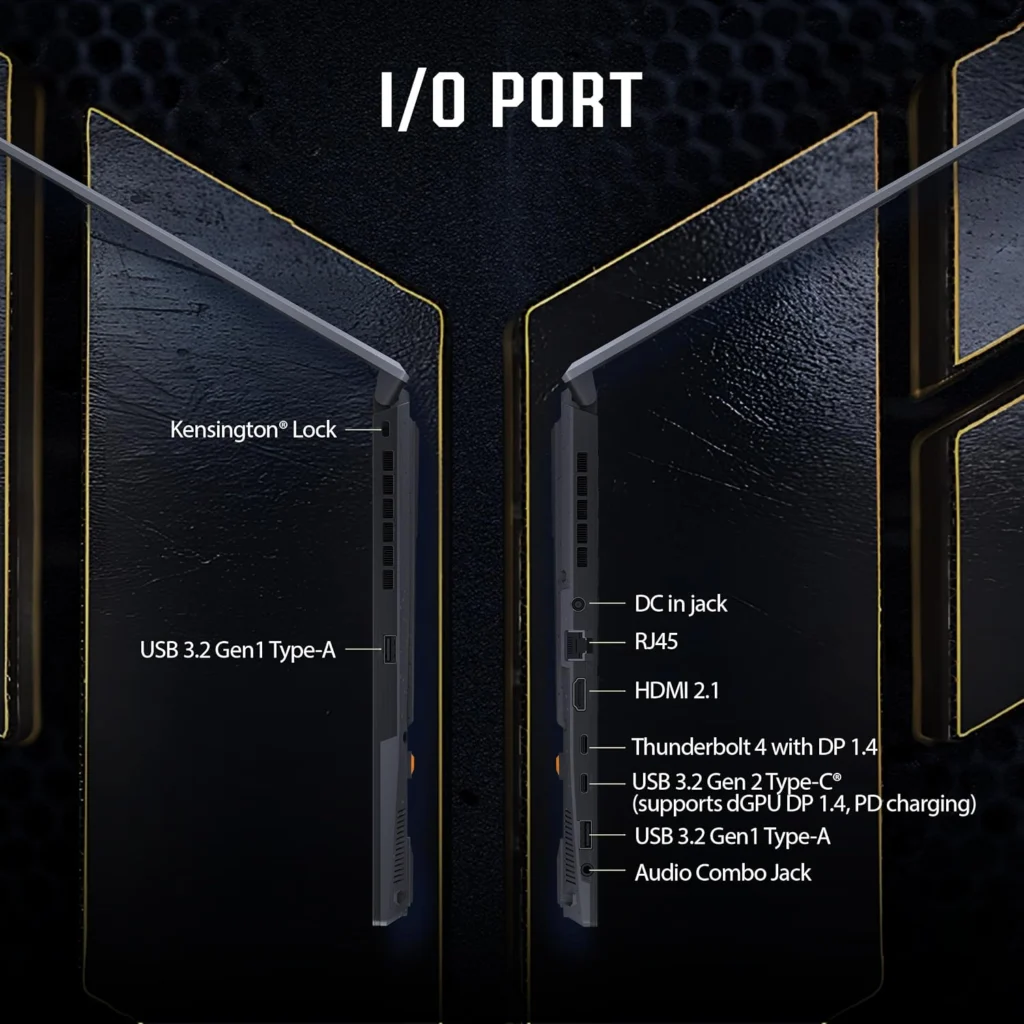
Upgrades are simple:
- RAM: two DDR5 slots, up to 64GB. 16GB is enough for gaming today; 32GB helps if you edit 4K video or keep many apps open.
- Storage: a second M.2 slot is free. This is the first upgrade most buyers should plan. One owner notes that games and Windows quickly fill the 512GB drive. A 1TB PCIe 4.0 SSD is a sensible add-on.
Battery Life and Charging
The 56Wh battery is small for a 16-inch gaming laptop. Buyers on Amazon report around 4 to 4.5 hours of light use in silent or power-saving mode. Gaming on battery will last much less, and performance drops when unplugged, so treat this as a plug-in laptop for games.
It charges with a 240W power brick. You can also charge through the USB-C port with a compatible charger for light work, which is handy when travelling.
Pros and Cons
| Pros | Cons |
|---|---|
| RTX 4050 at full 140W power | Small 56Wh battery |
| MUX switch and G-Sync | Display colours are basic (45% NTSC) |
| Thunderbolt 4, HDMI 2.1 and LAN port | Only 512GB SSD |
| Two RAM slots and two SSD slots for upgrades | 720p webcam |
| Office Home 2024 included | Speakers are not very loud, according to buyers |
| Solid build that buyers praise | Core 5 210H is older CPU tech |
ASUS TUF F16 vs Alternatives
Here is how it compares with laptops buyers usually look at in the same budget. Check exact configurations and prices on the product page, since each of these comes in many versions.
| Laptop | CPU / GPU | Good for | Watch out for |
|---|---|---|---|
| ASUS TUF F16 (FX677VU) | Core 5 210H / RTX 4050 140W | Balanced gaming, ports, upgrades | 56Wh battery, basic display |
| ASUS TUF F16 (FX608, RTX 5050) | Core i5/i7 HX / RTX 5050 8GB | More video memory, newer GPU | Usually costs more; check model code |
| HP Victus 15 (RTX 4050) | Core i7-13620H / RTX 4050 | Familiar brand, 15.6-inch size | Some versions use DDR4 RAM and a lower GPU wattage |
| Lenovo LOQ (RTX 4050) | Core i7 HX / RTX 4050 | Faster CPU for rendering | Often priced higher; one RAM slot on some models |
| ASUS TUF A15 (2026) | Ryzen 7 / RTX 3050 | Cheaper option for esports | Much slower GPU for AAA games |
If the newer RTX 5050 TUF F16 is available at a similar price during a sale, it is the better buy because of the extra video memory. If it costs noticeably more, the FX677VU gives better value. You can compare more options in our best gaming laptop in India guide, and we also covered the cheaper ASUS TUF A15 2026 and the budget Lenovo LOQ Essential.
Common Problems and Simple Fixes
These issues come up in buyer reviews and are easy to handle:
- Charger plug does not fit the wall socket. One buyer in India found the power cable uses a large 16A plug. Use a 16A socket, a good quality 16A-to-6A adapter, or contact ASUS support about a 6A cable.
- Armoury Crate feels heavy. Some owners replace it with G-Helper, a free, lightweight open-source tool that controls fan modes and GPU settings. Install it only from the official GitHub page.
- Battery drains fast. Switch to Silent mode and set the GPU to Eco (integrated) mode in Armoury Crate or G-Helper when you are not gaming. If it also drains while closed, see our guide on laptop battery draining in sleep mode.
- Low FPS in a game. Make sure the charger is connected, choose Performance or Turbo mode, and check that the game runs on the RTX 4050 in Windows Settings > System > Display > Graphics.
- Storage full. Add a second M.2 SSD instead of deleting games every week.
Who Should Buy It and Who Should Skip
Buy it if you:
- Want to play AAA and esports games at 1080p, mostly plugged in
- Are a student or professional who also edits video or uses AutoCAD, Blender or similar apps
- Want room to upgrade RAM and storage later
- Need Thunderbolt 4, HDMI 2.1 and LAN for a desk setup
Skip it if you:
- Need 6+ hours of battery away from a charger
- Do colour-critical photo or video work on the laptop screen alone
- Want to play every new game at ultra settings (look at RTX 4060 or RTX 5060 laptops)
- Carry your laptop all day; 2.2 kg plus the large charger is heavy
Frequently Asked Questions
Is the ASUS TUF Gaming F16 RTX 4050 good for gaming?
Yes. With the RTX 4050 running at up to 140W, it handles most games at 1080p on medium to high settings, and esports titles at high frame rates. Very demanding new games need DLSS and high instead of ultra settings.
Can I upgrade the RAM and SSD on the TUF F16?
Yes. It has two DDR5 SO-DIMM slots that support up to 64GB, and two M.2 SSD slots. One SSD slot is free out of the box.
What is the battery life of the ASUS TUF F16?
It has a 56Wh battery. Buyers report around 4 to 4.5 hours of light use in power-saving mode. Gaming on battery lasts much less.
Does the ASUS TUF F16 have a MUX switch?
Yes. It has a MUX switch with NVIDIA Advanced Optimus, which can improve frame rates in games.
Is the Core 5 210H the same as a 14th Gen Core i5?
Amazon lists it as “i5-14th Gen”, but the Core 5 210H uses Intel’s older Raptor Lake design under the new Core 5 naming. It has 8 cores and 12 threads and is a good match for the RTX 4050.
Is the TUF F16 good for students?
It works well for engineering and design students who need a strong GPU, and Office Home 2024 is included. If you mostly need a light laptop for notes and browsing, a thinner non-gaming laptop will be easier to carry and last longer on battery. See our latest laptop deals for other options.
Final Verdict
The ASUS TUF Gaming F16 RTX 4050 gets the important things right for a gaming laptop: a full-power RTX 4050, a smooth 144Hz screen, a MUX switch, plenty of ports and easy upgrades. Its weak spots are battery life, display colours and the 512GB SSD. For a buyer who games and works at a desk and wants a laptop that can grow with RAM and storage upgrades, it is an easy recommendation, especially when a bank offer brings the price down. Just double-check the model code is FX677VU before you buy.
Sources
- ASUS TUF Gaming F16 (FX607) official tech specs
- Digit: ASUS TUF Gaming F16 (2025) review
- G-Helper on GitHub
- Amazon India product listing and verified buyer reviews for FX677VU-RL055WS