
The Lenovo Yoga Slim 7 Aura Edition (model 83JX00ENIN) is a 1.19 kg, 14-inch OLED laptop with Intel’s Core Ultra 5 226V chip, 16GB RAM and a 512GB SSD. Is it worth buying? If you want a light, premium laptop for college, office work and travel with a beautiful screen and all-day battery, yes. It is not for gaming or heavy video editing, and the RAM cannot be upgraded later.
This guide covers the exact model sold on Amazon India: full specs, display, performance, battery, ports, pros and cons, and how it compares with other laptops at this price. If you are still deciding between Lenovo series, start with our list of the best Lenovo laptops to buy on Amazon.
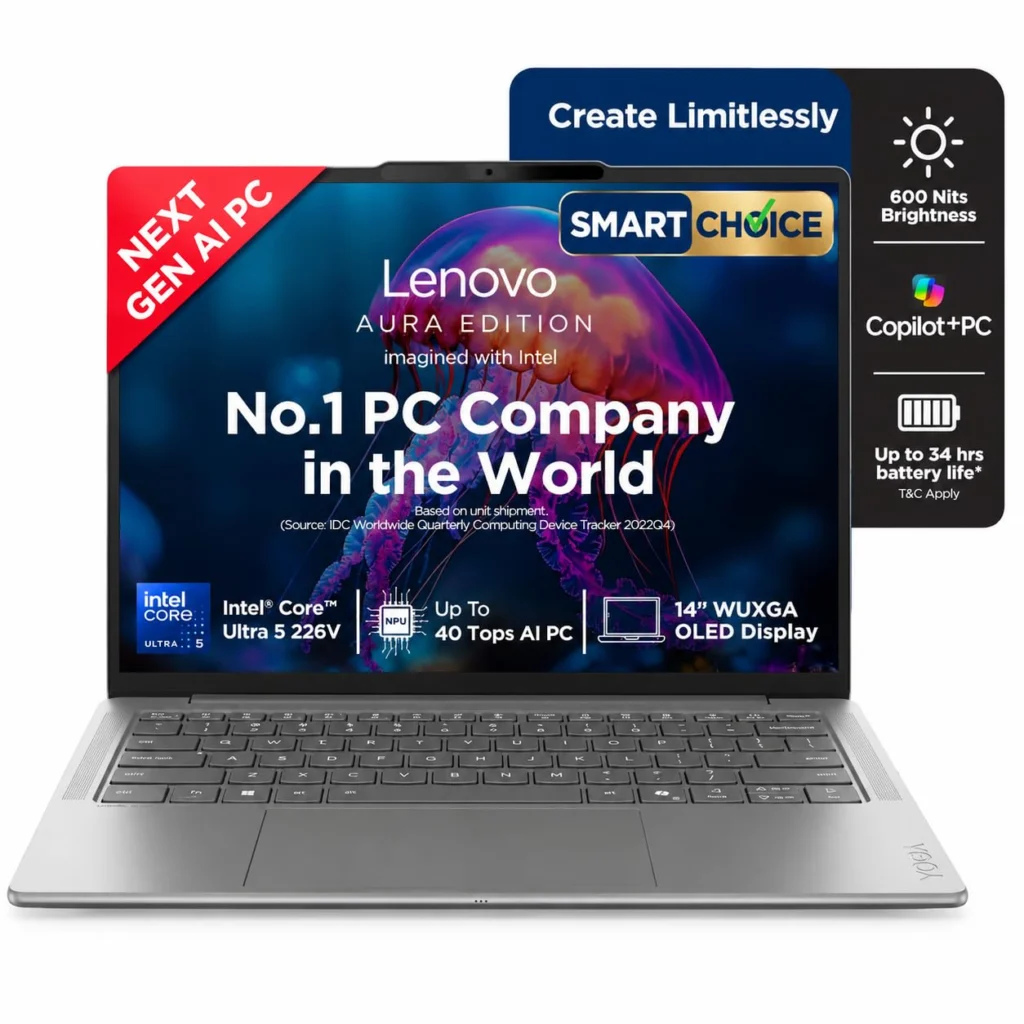
Lenovo Yoga Slim 7 Aura Edition Specifications
| Feature | Details |
|---|---|
| Model | Lenovo Yoga Slim 7 Aura Edition 14ILL10, 83JX00ENIN (Luna Grey) |
| Processor | Intel Core Ultra 5 226V, 8 cores (4P + 4 LP-E), 8 threads, up to 4.5 GHz, 8MB cache |
| AI engine (NPU) | Intel AI Boost, up to 40 TOPS (Copilot+ PC) |
| Graphics | Integrated Intel Arc 130V |
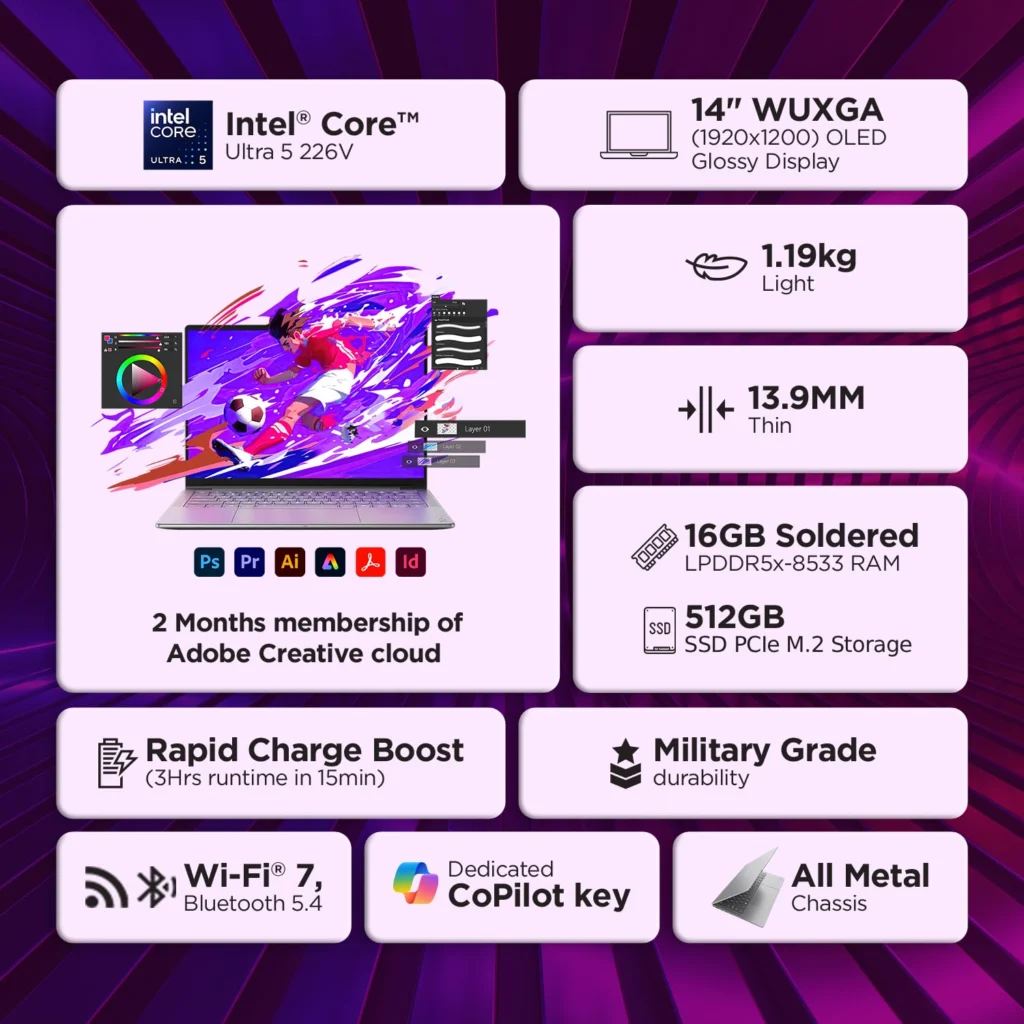
| Memory | 16GB LPDDR5X-8533, soldered (not upgradable) |
| Storage | 512GB M.2 2242 PCIe 4.0 NVMe SSD (one slot, up to 1TB supported) |
| Display | 14-inch WUXGA (1920 x 1200) OLED, 16:10, 60Hz, 400 nits typical, 600 nits HDR peak, 100% DCI-P3, Dolby Vision, DisplayHDR True Black 500 |
| Battery | 70Wh with Rapid Charge Express, 65W USB-C charger |
| Ports | 2x Thunderbolt 4 (USB-C), 1x USB-A 5Gbps, 1x HDMI 2.1, microSD card reader, 3.5mm combo jack |
| Wireless | Wi-Fi 7, Bluetooth 5.4 |
| Camera | 5MP + IR camera (Windows Hello face login) with E-shutter switch |
| Audio | 4 speakers (2W x 4), Dolby Atmos, quad microphones |
| Keyboard | Backlit, 1.5 mm key travel, Copilot key |
| Build | Aluminium top and bottom, MIL-STD-810H tested |
| Size and weight | 312 x 219.3 x 13.9 mm, 1.19 kg |
| Software | Windows 11 Home, Microsoft 365 Basic + Office Home 2024 |
| Warranty | 1 year |
Which Lenovo Yoga Slim 7 Is This? Model Codes Explained
“Yoga Slim 7” is a name Lenovo has used for many different laptops since 2020. That is why search results mix reviews of AMD, Intel and Snapdragon models, and of both 14-inch and 15.3-inch sizes. The model code tells you which one you are looking at:
| Model code | Chip | Screen | What to know |
|---|---|---|---|
| 14ILL10 (83JX, this laptop) | Intel Core Ultra 5 226V / 7 256V / 258V (Lunar Lake) | 14-inch OLED | Gen 10 Aura Edition, 1.19 kg, the model on Amazon India |
| 15ILL9 | Intel Core Ultra 7 256V / 258V (Lunar Lake) | 15.3-inch IPS | The bigger 2024 Aura Edition. Most US and UK reviews you find are of this one |
| 14IMH9 (83CV) | Intel Core Ultra 5 125H / 7 155H (Meteor Lake) | 14-inch OLED | Older model, no Copilot+ PC features |
| Yoga Slim 7x | Qualcomm Snapdragon X / X2 | 14-inch OLED | Arm chip with long battery life, but some older apps and games may not run |
| Gen 11 (14ILL11 and Ultra models) | Intel Core Ultra Series 3 | 14-inch OLED | Newer and lighter, usually priced higher |
Before you compare prices or read a review, check that the model number on the product page says 83JX. Within the 83JX family, the last few letters change the chip, RAM, storage, colour and whether you get a touchscreen.
OLED Display: Sharp, Colourful and Easy on the Eyes
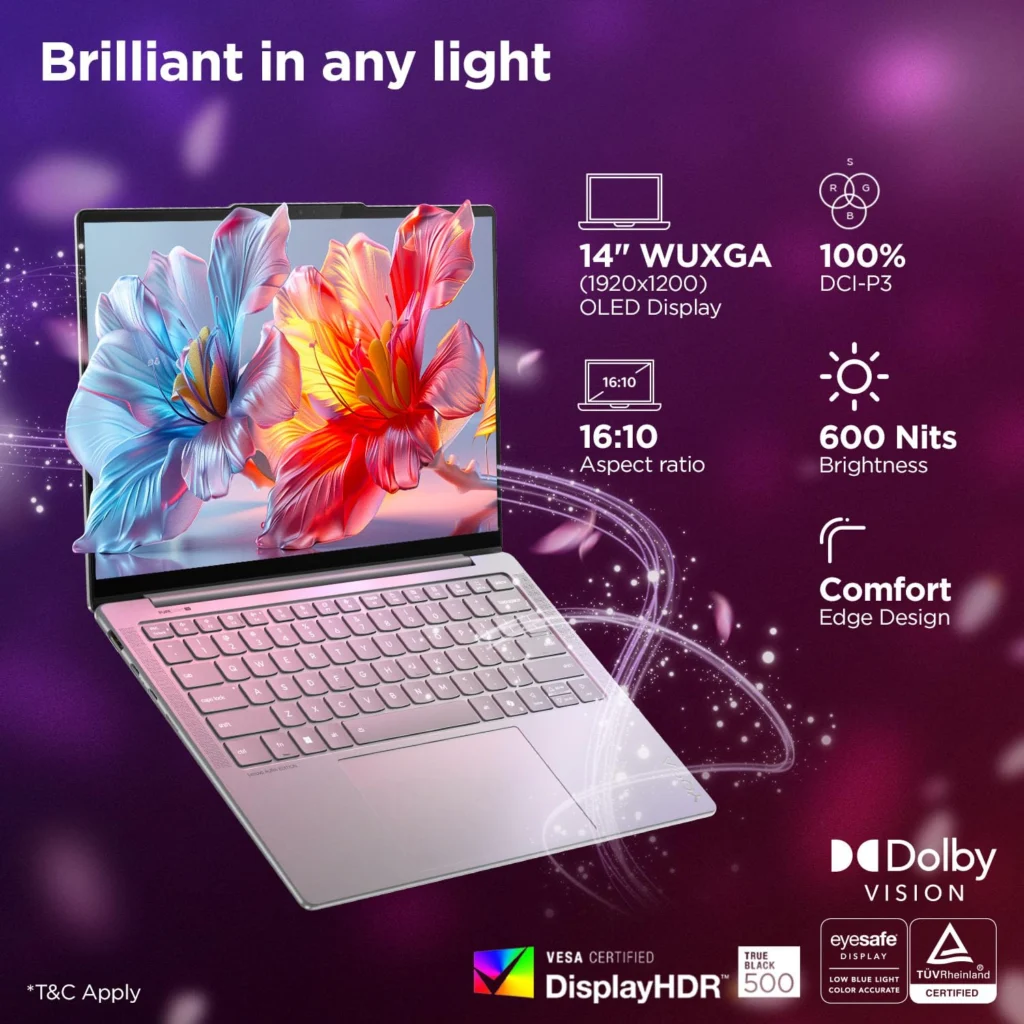
The screen is the highlight. It is a 14-inch OLED panel at 1920 x 1200 in the taller 16:10 shape, so you see more of a document or web page than on a normal 16:9 laptop. OLED means true blacks and very high contrast, which makes movies and photos look rich. Lenovo lists 100% DCI-P3 colour, factory colour calibration (Delta E under 1), Dolby Vision and up to 600 nits for HDR content.
Three things to know before you buy:
- It runs at 60Hz. Lenovo’s 2.8K version goes up to 120Hz, but this WUXGA model does not. Scrolling is fine, just not extra smooth.
- It is not a touchscreen. The listing does not mention touch, and the 1.19 kg weight matches Lenovo’s non-touch version (the touch model weighs 1.28 kg).
- The panel is glossy. The Amazon listing says “anti-glare”, but Lenovo’s own spec sheet lists only glossy surfaces for this model. Techaeris, which reviewed a 14-inch WUXGA unit, also found it reflects light heavily. Avoid sitting with a bright window behind you.
If you want to check a new laptop screen for faulty pixels while the replacement window is open, use our free dead pixel test.
Performance: Core Ultra 5 226V in Daily Use

The Core Ultra 5 226V is part of Intel’s “Lunar Lake” family. It is built to save power first, so it feels quick in everyday work while staying cool and quiet. Browsing with many tabs, Microsoft Office, Zoom or Teams calls, YouTube, online classes and light photo editing are all easy for it.
An honest note on reviews: most published reviews tested the Core Ultra 7 versions (256V or 258V). The 226V in this model has the same 8 cores but slightly lower clock speeds (4.5 GHz vs 4.8 GHz), less cache (8MB vs 12MB) and the smaller Arc 130V graphics. So expect a little less performance than in those reviews, not a big drop. Laptop Mag found the Lunar Lake Yoga Slim 7i fast in single-core tasks but behind rival chips in heavy multi-core work, such as long video exports. That pattern applies here too.
Is the Lenovo Yoga Slim 7 Good for Gaming?
Only for light gaming. The Arc 130V integrated graphics can run esports titles and older games at 1080p with low to medium settings. Modern AAA games will struggle. If gaming matters, look at a laptop with a dedicated graphics card, such as the picks in our best gaming laptops in India guide.
Copilot+ PC and AI Features
The 40 TOPS NPU meets Microsoft’s Copilot+ PC requirement, so you get on-device Windows AI features like Live Captions with translation, Windows Studio Effects for your webcam and Recall (optional). Many cheaper laptops with older Intel chips do not qualify.
Lenovo Yoga Slim 7 Aura Edition Battery Life
Battery life is the second big strength. The laptop has a 70Wh battery, and Lunar Lake chips use very little power at light loads. Here is what Lenovo claims and what reviewers found:
- Lenovo’s rating (WUXGA OLED): 17.5 hours in the MobileMark 30 office test and 34 hours of 1080p video playback, both at low brightness.
- Techaeris (14-inch WUXGA, Core Ultra 7 258V): about 14 to 16 hours of mixed use like browsing, writing, email and streaming.
- Tom’s Guide (15.3-inch Aura Edition, Core Ultra 7 256V): 14 hours 10 minutes in its web-surfing test.
Real use with higher brightness, video calls and many tabs will be lower than those numbers. Still, a full college or office day without the charger is realistic for most people. Gaming or heavy work drains it much faster.
Charging: the 65W USB-C charger works through either Thunderbolt port. Lenovo’s Rapid Charge Express gives about 3 hours of use from a 15-minute charge, but only when the laptop is shut down or in hibernate while charging. If your laptop loses charge overnight, our guide on laptop battery draining in sleep mode explains the fixes.
Design, Keyboard, Speakers and Webcam
At 13.9 mm thin and 1.19 kg, this is one of the lighter 14-inch Windows laptops you can buy. The top and bottom are aluminium, and Lenovo says it passed 21 MIL-STD-810H durability tests. There is a small bump at the top of the lid for the camera, which also makes the lid easier to open.
Keyboard and touchpad: the backlit keyboard has 1.5 mm key travel, which is good for a thin laptop. Reviewers disagree on the keys: Tom’s Guide loved typing on it, while Tom’s Hardware found the key surface a bit slippery. The glass touchpad is large at 80 x 135 mm.
Speakers: four speakers (two woofers and two tweeters) with Dolby Atmos. Techaeris called them full-sounding for movies and calls, though not as good as headphones.
Webcam: a 5MP camera with an IR sensor for Windows Hello face unlock. Privacy is handled by an electronic E-shutter switch on the side, not a sliding cover. There is no fingerprint reader. If the camera ever stops working, our free webcam test helps you check whether it is a hardware or a settings problem.
Ports and Connectivity
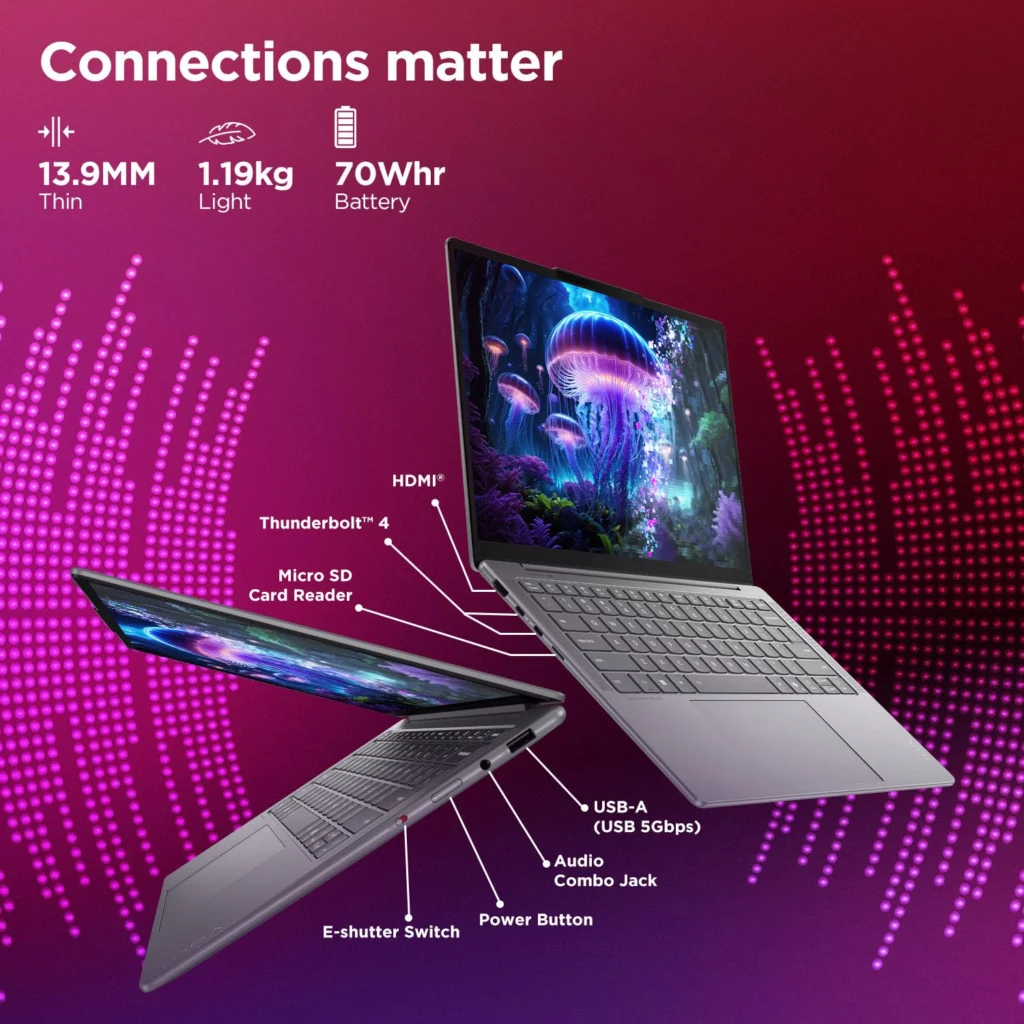
For such a thin laptop, the port selection is generous:
- 2x Thunderbolt 4 (USB-C) for charging, fast data and external monitors
- 1x USB-A 5Gbps for pen drives and wireless mouse receivers
- 1x full-size HDMI 2.1 (up to 4K 60Hz) for TVs and projectors
- microSD card reader
- 3.5mm headphone and mic jack
It supports up to three external displays. Wireless is Wi-Fi 7 with Bluetooth 5.4, so it is ready for newer routers.

“Aura Edition” is the name for Lenovo and Intel’s joint software features on these laptops:
- Smart Share: tap your phone on the laptop to move photos and files across.
- Smart Modes: presets like Power, Collaboration and Wellness that change performance, camera and alert settings in one click.
- Smart Care: quick access to Lenovo support and warranty help.
These are handy extras, not reasons to buy. Techaeris found the software useful but the AI parts hit and miss. Tom’s Guide called Smart Modes a gimmick.
Lenovo Yoga Slim 7 Price in India and What’s in the Box
The 83JX00ENIN has an MRP of ₹1,49,690 and usually sells for around ₹1.3 lakh on Amazon India. Bank card offers and exchange deals can bring the final price lower. Lenovo.com also sells custom 83JX builds, so compare both before you buy. The box has the laptop, the 65W USB-C power adapter and a user guide.
Pros and Cons
Pros
- Rich 14-inch OLED screen with accurate colours
- Very light (1.19 kg) and thin metal body
- Excellent battery life for a Windows laptop
- Copilot+ PC with a 40 TOPS NPU
- Two Thunderbolt 4 ports, HDMI 2.1, USB-A and a microSD reader
- Wi-Fi 7, 5MP IR webcam and four Dolby Atmos speakers
- Office Home 2024 included
Cons
- 16GB RAM is soldered and cannot be upgraded
- 512GB storage fills up fast (one short M.2 2242 slot)
- 60Hz glossy screen that reflects light
- Not for heavy gaming or long video exports
- No fingerprint reader and no physical camera cover
- Pre-installed software like McAfee, which one Amazon India buyer called bloat
Lenovo Yoga Slim 7 vs Alternatives
| Laptop | Chip | Best for | Trade-off |
|---|---|---|---|
| Lenovo Yoga Slim 7 Aura Edition (this one) | Intel Core Ultra 5 226V | Lightweight, OLED, long battery, Copilot+ | 16GB fixed RAM, 60Hz screen |
| ASUS Zenbook 14 UX3405CA | Intel Core Ultra 5 225H | More multi-core power, 1TB SSD, touch OLED | Heavier (1.28 kg), louder fan, not Copilot+ |
| Lenovo Yoga Slim 7x | Snapdragon X2 Elite | Longest battery life, light (1.17 kg) | Arm chip, so some older apps and games may not run |
| Lenovo Yoga 7 2-in-1 | Intel Core Ultra 5 226V | Folds into a tablet, touchscreen | Heavier at about 1.38 kg |
Want more raw performance for a similar budget? Read our ASUS Zenbook 14 UX3405CA review. To see current offers across brands, check our laptop deals page.
Common Problems and Easy Fixes
- Battery drains faster than expected: open Lenovo Vantage (or Smart Modes) and choose a balanced or battery-saving mode, lower the brightness, and uninstall trial software you do not use.
- Camera shows a black screen: check the E-shutter switch on the side first. It turns the camera off electronically.
- Screen reflections: raise brightness and change your seating angle. A matte screen protector helps if you often work outdoors.
- Storage is full: move photos and videos to OneDrive or an external drive. You can also replace the SSD with a 1TB M.2 2242 drive, but do it at an authorised service centre so the warranty stays safe.
- Laptop feels slow after setup: let Windows Update and Lenovo Vantage finish their first updates, then restart.
Who Should Buy the Yoga Slim 7 Aura Edition?
Buy it if you are a student, working professional or frequent traveller who wants a light laptop with a great screen, long battery life and good ports, and your work is mostly browsing, Office, online classes, video calls and streaming.
Skip it if you play modern games, edit 4K video often, need more than 16GB RAM in future, or want a touchscreen. For touch, consider the Yoga 7 2-in-1. For more power, look at a laptop with a Core Ultra H-series chip or a dedicated graphics card.
First-Day Setup Tips
- Check the model number (83JX00ENIN) on the box and in Settings > System > About.
- Run Windows Update and Lenovo Vantage updates for BIOS and drivers.
- Activate Office Home 2024 with your Microsoft account.
- Set up Windows Hello face login.
- Register the laptop on Lenovo’s support site so your warranty starts from the invoice date.
- Run a quick keyboard test and dead pixel test while you can still ask for a replacement.
Disclosure: this page contains an affiliate link. If you buy through it, we may earn a small commission at no extra cost to you.
Frequently Asked Questions
Is the Lenovo Yoga Slim 7 Aura Edition good?
Yes, for everyday work, study and travel. Reviewers praise its OLED screen, light 1.19 kg metal body and long battery life. Its main limits are the soldered 16GB RAM, the glossy 60Hz screen and weak gaming performance.
Is the Lenovo Yoga Slim 7 83JX00ENIN a touchscreen?
No. The Amazon listing does not mention touch, and its 1.19 kg weight matches Lenovo’s non-touch version. The touch model weighs about 1.28 kg.
Can I upgrade the RAM on the Yoga Slim 7?
No. The 16GB LPDDR5X memory is soldered. The SSD can be replaced with an M.2 2242 drive of up to 1TB.
Is the Lenovo Yoga Slim 7 good for gaming?
Only for light games. The Arc 130V integrated graphics handle esports and older titles at low to medium settings. For modern games, choose a laptop with a dedicated graphics card.
How long does the Yoga Slim 7 Aura Edition battery last?
Lenovo rates the WUXGA OLED model at 17.5 hours in MobileMark 30. Reviewers saw about 14 to 16 hours of mixed use on similar Lunar Lake Yoga Slim 7 models. Expect a full working day in normal use.
Is the Yoga Slim 7 Aura Edition a Copilot+ PC?
Yes. Its Intel AI Boost NPU is rated up to 40 TOPS, which meets Microsoft’s Copilot+ PC requirement.
What is the difference between Yoga Slim 7 and Yoga Slim 7x?
The Yoga Slim 7 Aura Edition uses an Intel Core Ultra chip and runs all Windows apps normally. The Yoga Slim 7x uses a Qualcomm Snapdragon (Arm) chip, which gives longer battery life, but some older apps and games may not work.
Final Verdict: Is the Lenovo Yoga Slim 7 Aura Edition Worth Buying?
Yes, if portability, screen quality and battery life matter most to you. The Yoga Slim 7 Aura Edition gives you a lovely OLED display, a 1.19 kg metal body, Thunderbolt 4, Wi-Fi 7 and Copilot+ AI features in one neat package. The Core Ultra 5 226V is quick for daily work and very efficient. The trade-offs are clear: RAM you cannot upgrade, only 512GB of storage, a glossy 60Hz screen and limited gaming power. If those do not bother you, it is one of the best thin-and-light Windows laptops in this price range.
Sources
- Lenovo PSREF: Yoga Slim 7 14ILL10 specifications
- Techaeris: Lenovo Slim 7i 14″ Aura Edition review
- Tom’s Guide: Lenovo Yoga Slim 7i Aura Edition review
- Laptop Mag: Lenovo Yoga Slim 7i Aura Edition review
- Tom’s Hardware: Lenovo Yoga Slim 7i Aura Edition review